MDM platforms
- Monthly cost per device
- Cloud enrollment required
- Ongoing management overhead

Android Device Provisioning Software
Setting up 10 Android devices by hand takes about 4 hours. With APS, build the setup once as a reusable profile, deploy it to all 10, and you're done in minutes. Now imagine 50.
75+ actions · and counting
Next ↓
100+ device properties · ready to inspect
How APS works
Connect one or multiple Android devices.
Review device status, applications, storage, settings, and screenshots.
Build or select a reusable provisioning profile.
Apply the selected configuration to your target devices.
Review per-device progress, results, logs, and saved deployment history.

Apply consistent apps, settings, and content to customer-facing displays across every location.
APS isn't a Mobile Device Management platform. There's no enrollment, no cloud tenant, and no monthly fee per device. You connect devices directly, build your setup once, and deploy it locally, with full control, paid once.
MDM platforms
APS
APS workflow
Know every device
Review device health and system information, manage applications and files, run direct actions, monitor live logs, and retain screenshots for visual context.
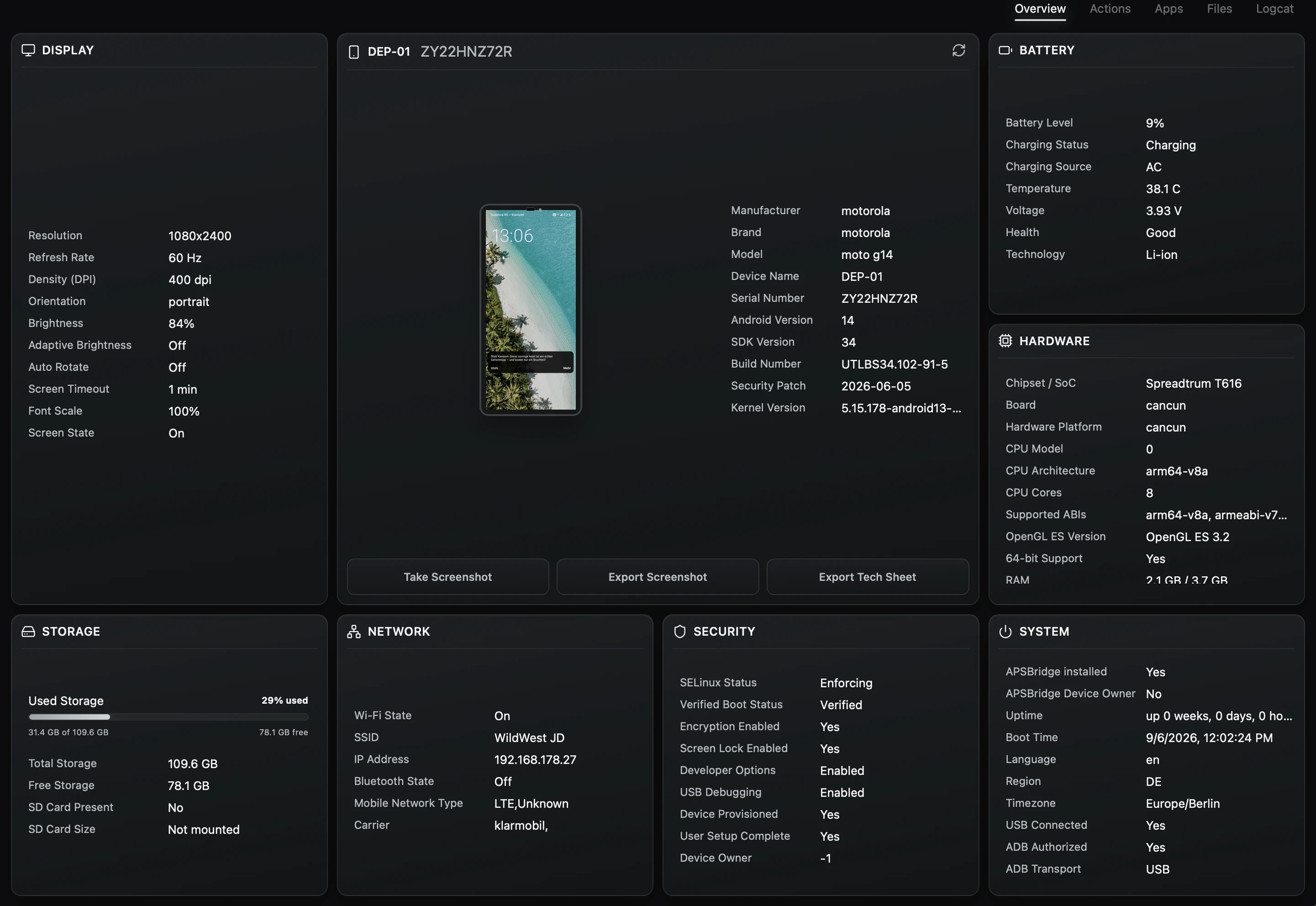
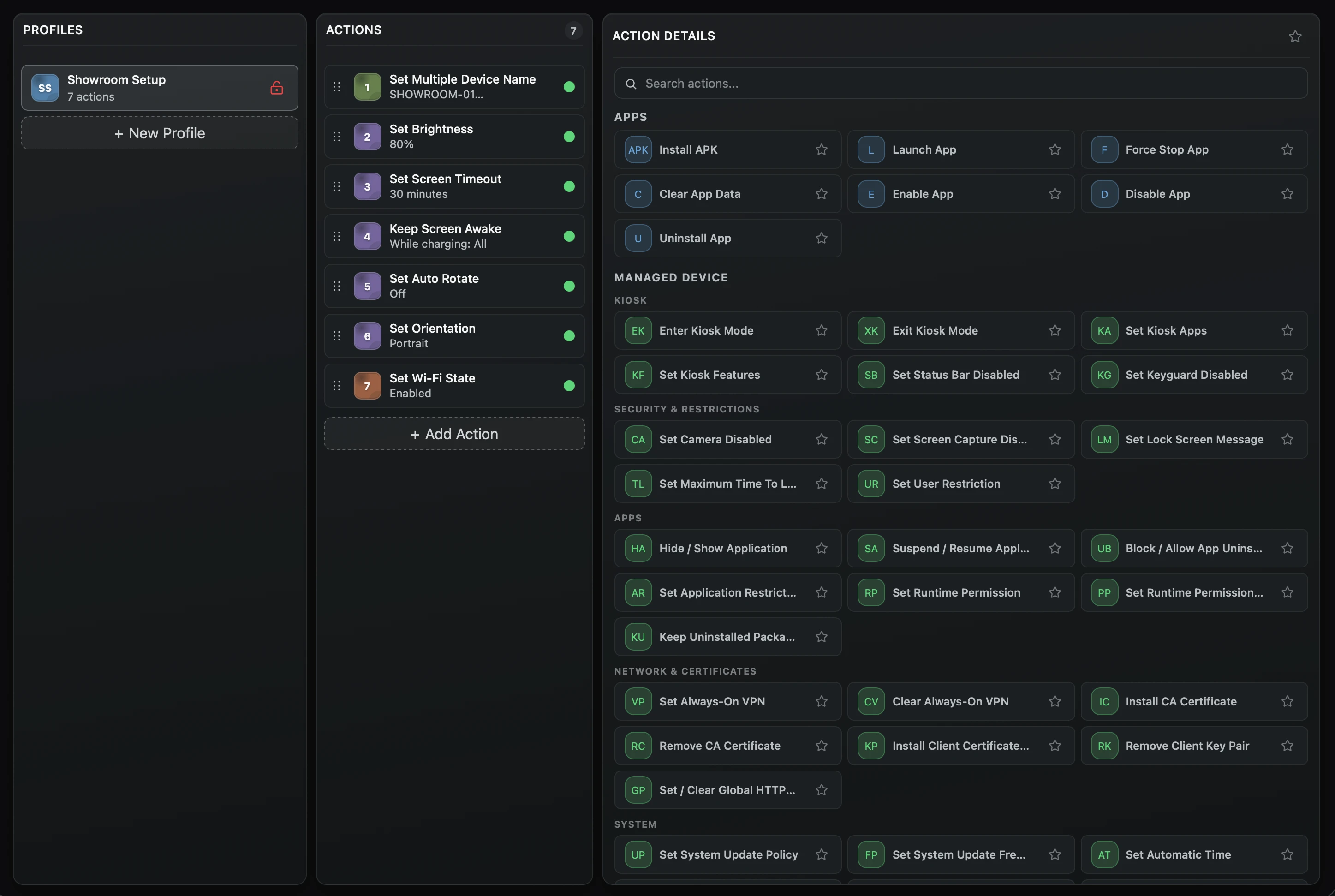
Reusable profiles
Combine applications, files, settings, policies, and device actions into an ordered profile. Validate it, adapt it when requirements change, and reuse it whenever new devices need the same configuration.
Controlled deployment
Select your connected devices, start the deployment, and follow the progress and result of every target. APS retains deployment records and operational logs so completed work remains easy to verify.
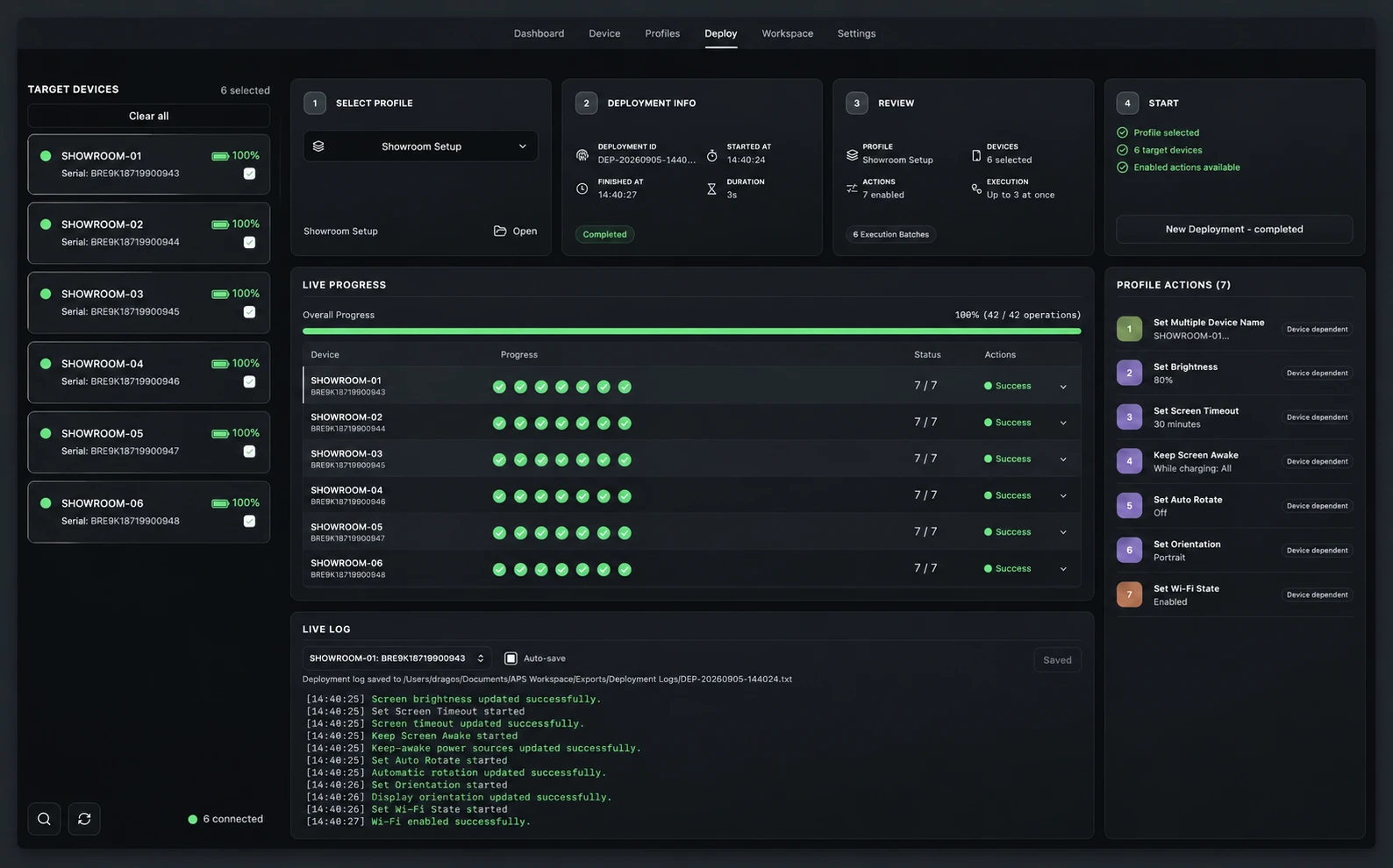
Build the setup once, save it as a reusable profile, and deploy it whenever new devices need to be prepared. Less repetitive work, fewer missed steps, and more time back for your team.